PHP提速,网站提速
第一:PHP 8.4 + OPcache,基础提速
以aapanel为例,导航到应用商店-应用分类(已安装)-php8.4设置-安装opcache,如下图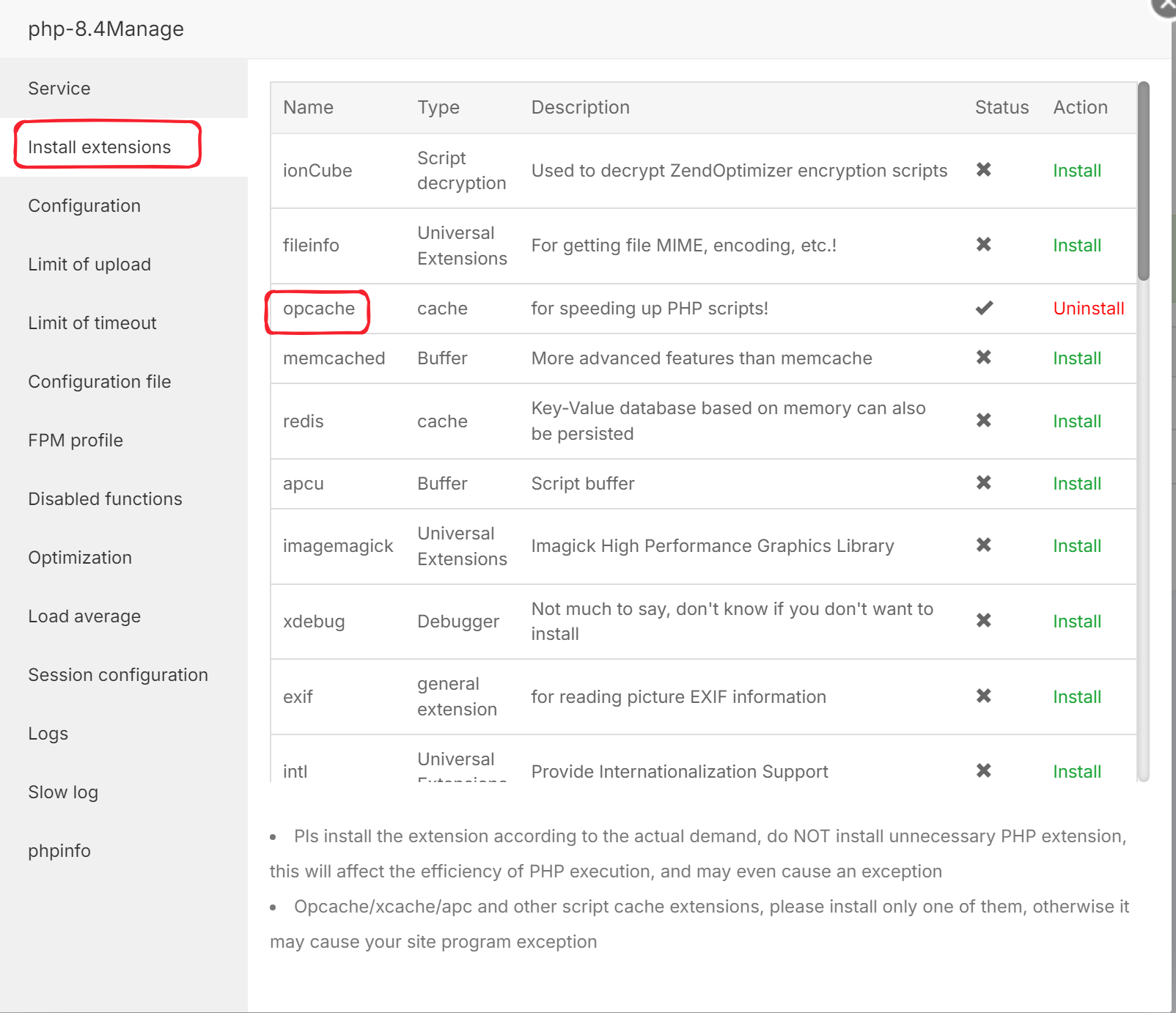
[opcache]; 启用OPcache
opcache.enable=1
; 分配内存大小(单位MB,建议128-256,根据服务器内存调整)
opcache.memory_consumption=128
; 字符串驻留内存大小(单位MB,建议8-16)
opcache.interned_strings_buffer=8
; 最大缓存文件数(建议10000以上,根据项目文件数调整)
opcache.max_accelerated_files=10000
; 生产环境建议关闭时间戳验证(设为0),开发环境设为1
opcache.validate_timestamps=0
; 快速关闭,加速请求结束
opcache.fast_shutdown=1
第二:Redis
应用商店安装redis,再到安装PHP Redis扩展,以discuzX3.5为例
编辑Discuz根目录下的config/config_global.php文件,找到或添加以下配置(通常在文件末尾):
// Redis缓存配置$_config'memory'['server'] = '127.0.0.1'; // Redis服务器地址
$_config'memory'['port'] = 6379; // 端口(默认6379)
$_config'memory'['pconnect'] = 1; // 开启长连接
$_config'memory'['timeout'] = 0; // 超时时间(秒)
// $_config'memory'['requirepass'] = '你的密码'; // 如果Redis设置了密码
$_config'memory'['serializer'] = 1; // 序列化方式(1=php)
// 启用Redis作为缓存类型
$_config'memory' = 'redis';
$_config'memory' = 'redis';
$_config'memory' = 'redis';